

Compliance
On this page
- Compliance Register
- Compliance Status
- Compliance Items
- Sharing Compliance Documents
- Renewing Compliance Items
- Uploading New Documents
- Compliance Statement
- Best Practice
Certify Network helps contractors manage, maintain, and share compliance information with builders. By storing compliance records in a central database, contractors can reduce administrative effort and avoid repeatedly supplying the same information to different builders.
When a builder requests a connection with a contractor, Certify Network checks whether the contractor already has an existing account.
- If an account exists, the builder can access the contractor's approved shared compliance records.
- If an account does not exist, a new account is created, and compliance requirements are established based on the builder's compliance rules.
This approach enables contractors to maintain a single set of compliance records that can be shared across multiple builders and projects where appropriate.
Compliance Register
The Compliance Register displays the compliance items required by builders and managed through Certify Network.
Typical compliance items include:
- Contractor licences
- Public Liability Insurance
- Workers Compensation Insurance
- Professional Liability Insurance
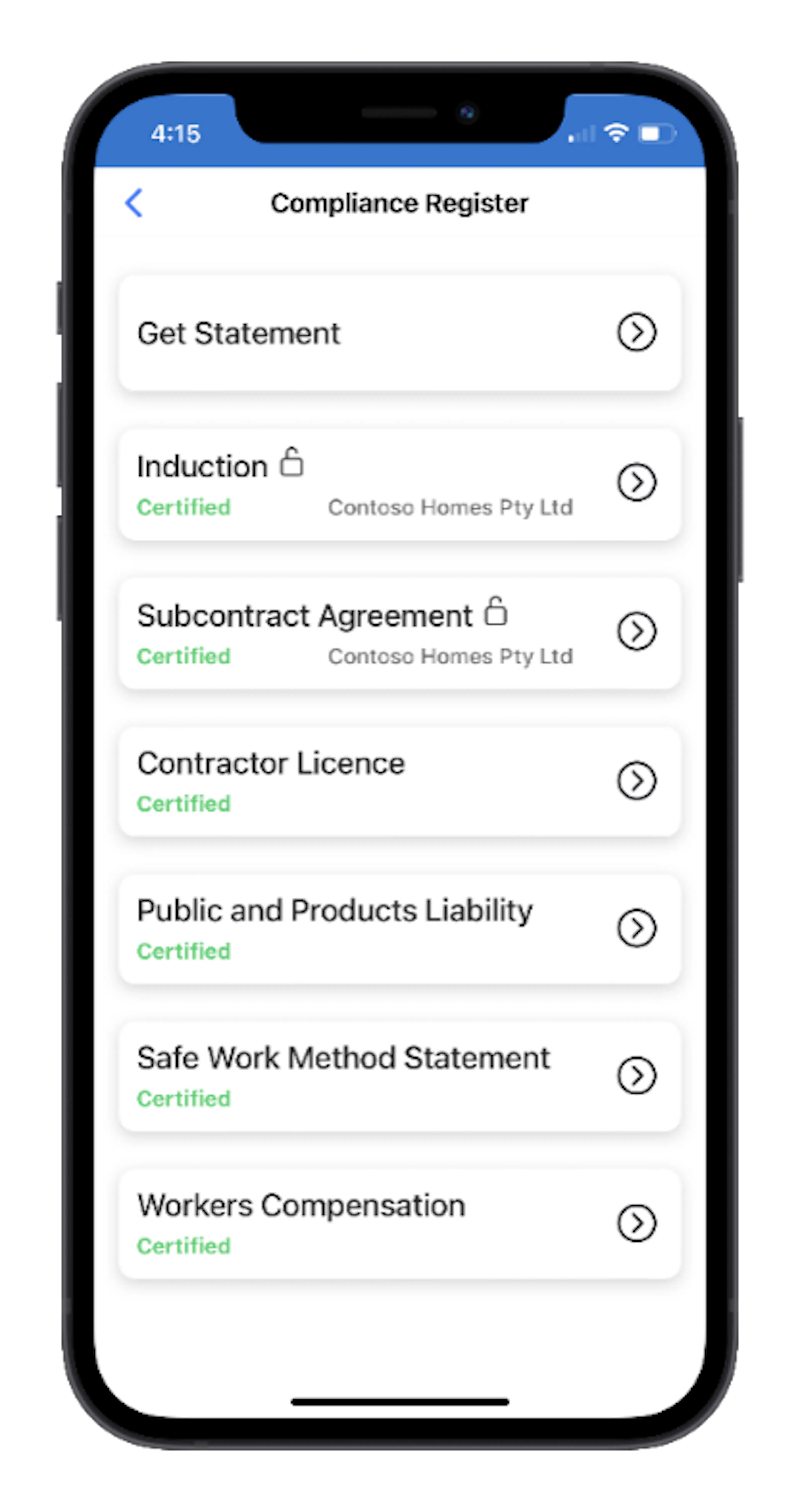
Compliance records that are generally applicable to a contractor can be shared with multiple builders.
However, project-specific records such as:
- Subcontract agreements
- Site inductions
- Project-specific acknowledgements
are only available to the builder and project to which they relate.
Administrators should regularly review the Compliance Register to ensure all requirements remain current and valid.
Compliance Status
Each compliance item displays a status indicating whether the requirement has been satisfied.
Common statuses include:
- Certified – Documentation has been provided and approved.
- Incomplete – Documentation is missing or requires updating.
- Expired – The supporting documentation is no longer valid and must be renewed.
Maintaining current compliance records helps avoid delays when commencing work on new projects.
Compliance Items
Selecting a compliance item displays detailed information, including supporting documents and compliance history.
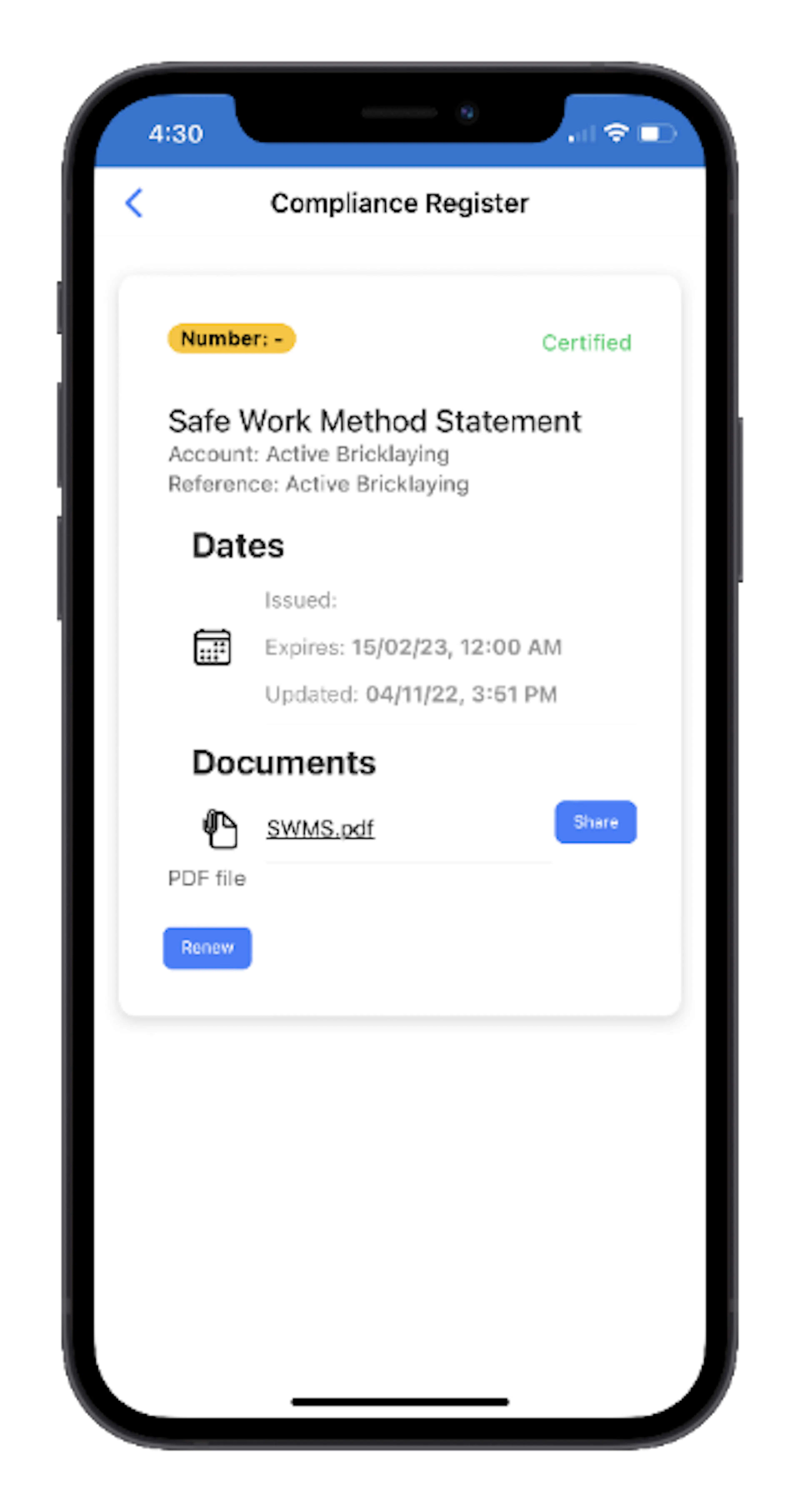
Administrators can use this screen to:
- View compliance requirements
- Upload supporting documents
- Review document expiry dates
- Share approved compliance records
- Renew expired items
Sharing Compliance Documents
Approved compliance documents can be shared directly from a compliance item.
Selecting Share sends an email containing a secure link to the selected documents. This can be useful when providing evidence of compliance to clients, builders, consultants, or other authorised parties.
Renewing Compliance Items
When a licence, certificate, or insurance policy is due for renewal, select Renew.
The renewal process:
- Archives the existing compliance record and supporting documents.
- Creates a new compliance item with a status of Incomplete.
- Allows updated documents to be uploaded for review.
This process preserves historical compliance records while ensuring that current documentation remains separate and easy to manage.
Uploading New Documents
Compliance items with an Incomplete status display an Add Document option.
Administrators can:
- Select the compliance item.
- Upload the required supporting documents.
- Submit the documents for review.
The Certify compliance team is automatically notified when new documentation is uploaded and will assess the submission before updating the compliance status.
Compliance Statement
The Get Statement function generates an email containing a link to the contractor's online Compliance Statement.
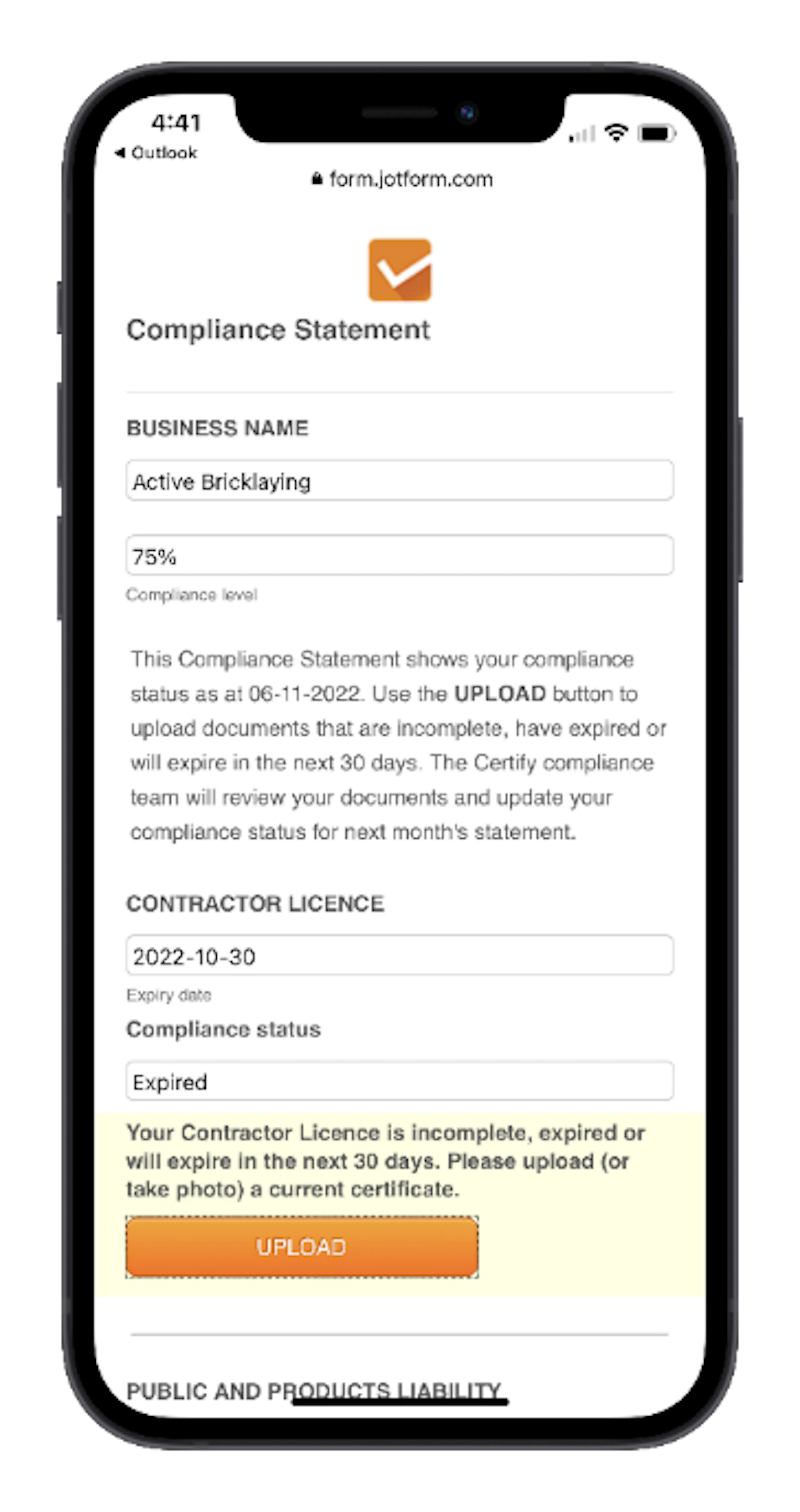
The Compliance Statement provides a consolidated view of compliance requirements and identifies any items that are:
- Incomplete
- Expired
- Awaiting documentation
- Due for renewal
The Compliance Statement can also be used to upload supporting documents for outstanding requirements.
To request a Compliance Statement:
- Open the Compliance Register.
- Select Get Statement.
- Check your email for the Compliance Statement link.
Compliance Statements are also issued automatically each month to help contractors monitor and maintain their compliance obligations.
Best Practice
To maintain compliance and avoid delays on projects:
- Keep licences and insurance certificates current.
- Upload renewed documents before expiry dates.
- Regularly review the Compliance Register.
- Respond promptly to requests for additional information.
- Use Compliance Statements to identify outstanding requirements.
- Ensure company details remain accurate and up to date.
Maintaining current compliance records in Certify Network allows builders to verify contractor compliance efficiently and helps workers gain access to projects without unnecessary administrative delays.