

Registers
On this page
- Plant and Equipment Register
- Electrical Test and Tag Register
- Hazardous Chemicals Register
- Tools Register
- Best Practice
The Registers section is used to manage company records, assets, inspections, and operational information. These registers support compliance, maintenance, and record-keeping requirements and provide a central location for storing information that may be required during audits, safety reviews, or project inspections.
Project-specific registers are maintained within individual projects, while company-wide registers are managed from the Registers section.
Registers are completed using configurable online forms that can be tailored to suit business and compliance requirements. Individual records can be viewed as PDF documents and register data can be exported to Microsoft Excel for reporting, analysis, and management purposes.

Plant and Equipment Register
The Plant and Equipment Register is used to maintain records of company-owned or controlled plant and equipment.
Typical information includes:
- Equipment identification details
- Make and model
- Serial numbers
- Purchase information
- Inspection records
- Maintenance history
- Service schedules
- Supporting documentation
When a new item is added to the register, a unique register number is generated. A QR code may also be assigned to assist with equipment identification, inspections, and maintenance activities.
Maintaining accurate plant and equipment records helps ensure that assets remain safe, compliant, and fit for purpose.
Electrical Test and Tag Register
The Electrical Test and Tag Register records the inspection, testing, and tagging of portable electrical equipment.
Examples include:
- Power tools
- Extension leads
- Flexible electrical cords
- Portable appliances
- Portable Residual Current Devices (RCDs)
The register allows competent persons or licensed electricians to record inspection results and maintain evidence of testing activities.
Features may include:
- Test and tag records
- Inspection dates
- Next test due dates
- Equipment identification
- Photographic evidence
- Custom inspection fields
Maintaining electrical testing records helps demonstrate compliance with site and regulatory requirements.
Hazardous Chemicals Register
The Hazardous Chemicals Register is used to maintain Safety Data Sheets (SDS) and related information for hazardous chemicals used by the business.
Administrators can:
- Upload Safety Data Sheets
- Capture photos of SDS documentation
- Store chemical information electronically
- Maintain a current register of hazardous substances
Selecting a record displays the associated Safety Data Sheet as a PDF document.
Keeping an up-to-date Hazardous Chemicals Register helps workers access important safety information and supports compliance with WHS requirements for hazardous substances.
Tools Register
The Tools Register is used to manage hand tools, equipment, and other assets assigned to employees.
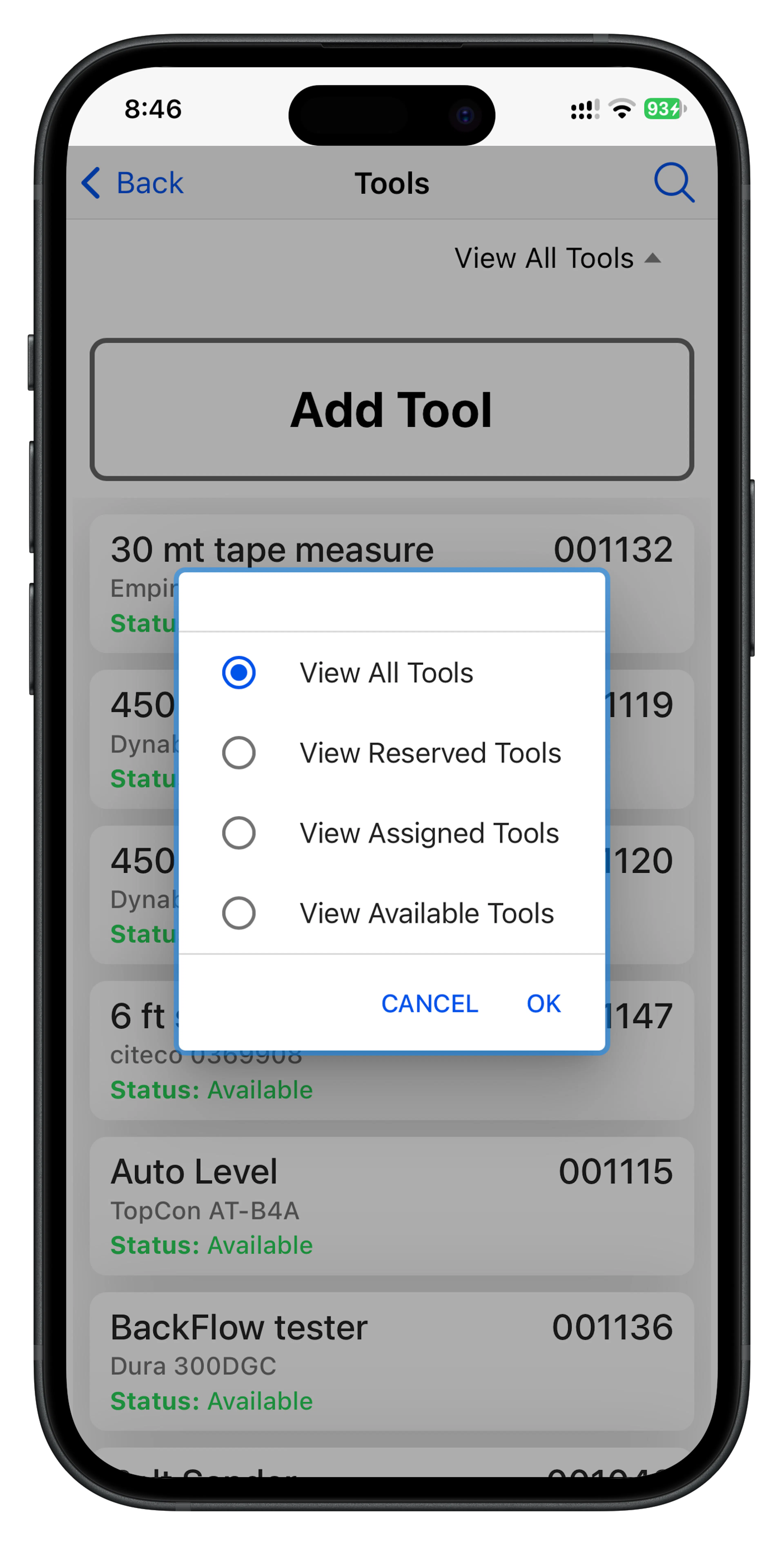
The register can record:
- Asset descriptions
- Make and model information
- Serial numbers
- Purchase details
- Warranty information
- Operating manuals
- Safety instructions
- Photographs
- Service and repair history
- Asset condition
This information provides a complete record of each asset throughout its lifecycle.
Asset Allocation
Tools and equipment can be allocated to individual employees, allowing businesses to track who is responsible for a particular asset at any point in time.
This helps improve accountability and assists with:
- Asset tracking
- Equipment returns
- Stock management
- Maintenance planning
- Loss prevention
Tool History
The Tool History function provides a record of significant events in the life of an asset, including:
- Purchase and acquisition
- Receipt into store
- Reservation for use
- Assignment to an employee
- Return to store
- Repairs and servicing
Maintaining a complete asset history helps organisations manage equipment effectively and demonstrate that tools and equipment are being properly maintained.
Exporting Register Data
Register records can be exported to Microsoft Excel for further analysis and reporting.
Exported data can be used for:
- Management reporting
- Compliance reviews
- Audit preparation
- Asset management
- Maintenance planning
The ability to export data provides flexibility for businesses that wish to perform additional reporting or integrate information with other management processes.
Best Practice
To maximise the value of company registers:
- Keep records up to date.
- Upload supporting documents and photographs where available.
- Record inspections and maintenance activities promptly.
- Regularly review equipment and asset information.
- Ensure Safety Data Sheets remain current.
Accurate registers help support safety, compliance, asset management, and operational efficiency across the business.